
ESign iOS Certificate
If you need to install IPA files on your iPhone or iPad without using the App Store, an ESign iOS certificate can assist you authenticate supported apps prior to installing. ESign is an iOS signing app for handling certificates, adding IPA files and getting apps for sideloading. However, successful installation relies on the validity of the certificate, provisioning profiles, app permissions and your iOS release.
Here, you will understand how you can obtain an ESign iOS certificate, add it into ESign, sign IPA files and resolve frequent installation errors. You can also learn about certificate expiry and revocation, compatibility errors and the security measures recommended before proceeding you to install third-party apps.
What is an ESign iOS Certificate?
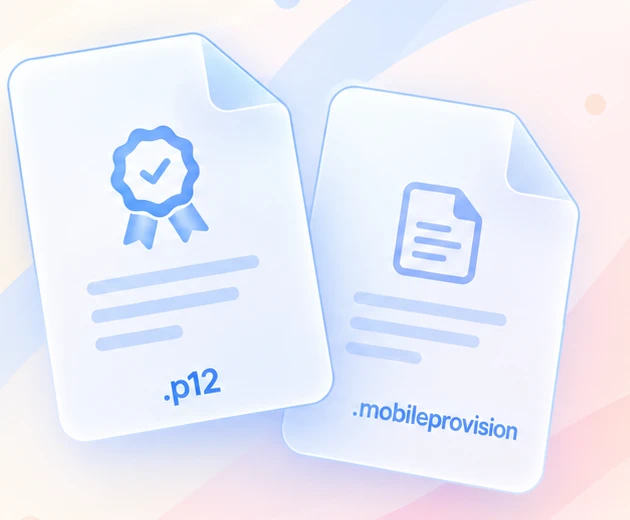
An ESign iOS certificate is an app-signing credential supported by ESign to authenticate supported IPA app packages. An IPA file consists of an iOS app, although the app usually requires an authorized signature and appropriate provisioning information before iOS will allow it to install and execute. ESign assists you apply the essential signing information with a suitable certificate and provisioning profile. A typical ESign certificate package comprises a .p12 certificate file, mobileprovision profile and a password to load the certificate.
How to Download an ESign iOS Certificate?
You can search for accessible ESign certificate downloads featuring iOS sideloading tools. Certificate availability and download options may vary, make sure to review the latest listing instead of believing that a formerly accessible certificate is still usable.
Step 1: Go to the Certificate Website
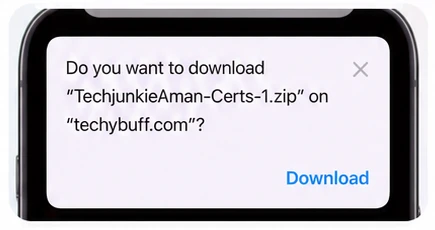
On your iPhone or iPad, open the website in Safari and go to the section for the certificate. Choose a listed certificate bundle and save the ZIP file if the option appears.
Step 2: Unzip the Download Zip File
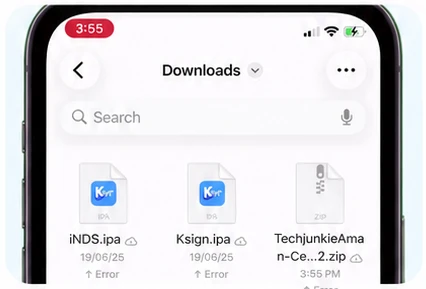
Open the files app, locate the download archive and tap on it to unzip the contents. Verify the .p12 file, mobileprovision profile and certificate password info.
Step 3: Store the Certificate Files in One Place
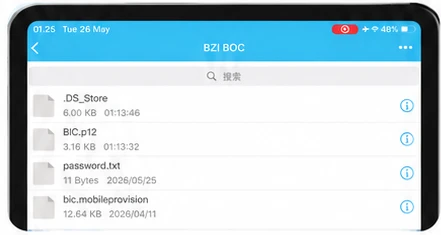
Put all files from the same package together. Combining a certificate from another download with a provisioning profile or password from another may lead to import or signing failures.
Step 4 : Check Certificate Availability
Additionally, a certificate listed as accessible or working is not assured to stay active. Review its current status before using it to sign IPA files.
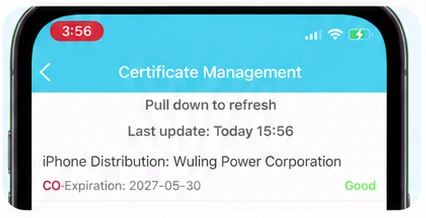
How to Import a Certificate into ESign
Once you extract the certificate package, access ESign and navigate its file manager. The specific layout can differ between versions, but usually you need to load the .p12 certificate and the corresponding .mobileprovision file.
Step 1: Import the Certificate Files
Choose the certificate when requested and type the password associated with that particular package. Ensure you provide the right password and the corresponding provisioning profile.
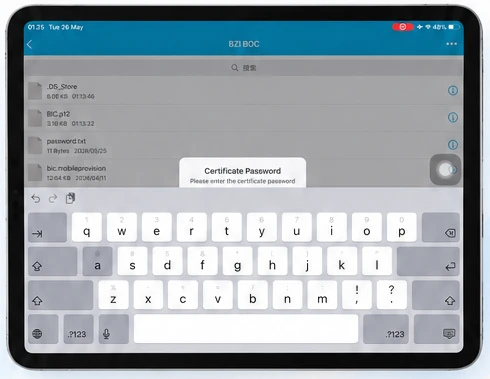
Step 2 : Verify the Imported Certificate
Once the import finishes, check that the certificate is listed in ESign. Depending on the app version you have, you may display the certificate name, team identifier, expiry date and provisioning details.
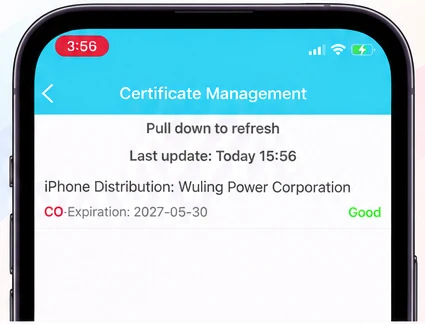
Step 3 : Fixing import errors
If the certificate fails to load, verify the password, make sure you extracted the ZIP file properly and that the both files belong to the same bundle. A completed import simply indicates that ESign recognized the certificate details. That doesn’t mean the certificate is trusted by Apple currently or that it supports all the apps you plan to install.
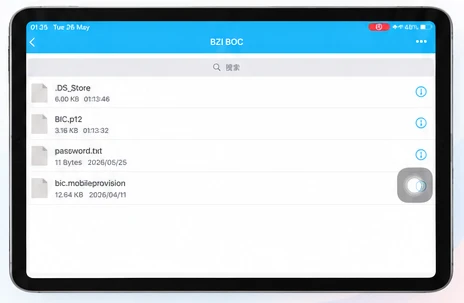
How to Sign IPA file with ESign
Once you have added a supported certificate, you can rely on ESign as an IPA signer for iPhone apps. Initially, obtain an IPA file from a reliable source that you are authorized to use.
Step 1: Upload the IPA file to ESign
Start the ESign and add an IPA file. Identify the app in the app management library.
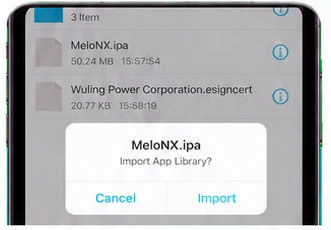
Step 2 : Choose the Certificate and Provisioning Profile
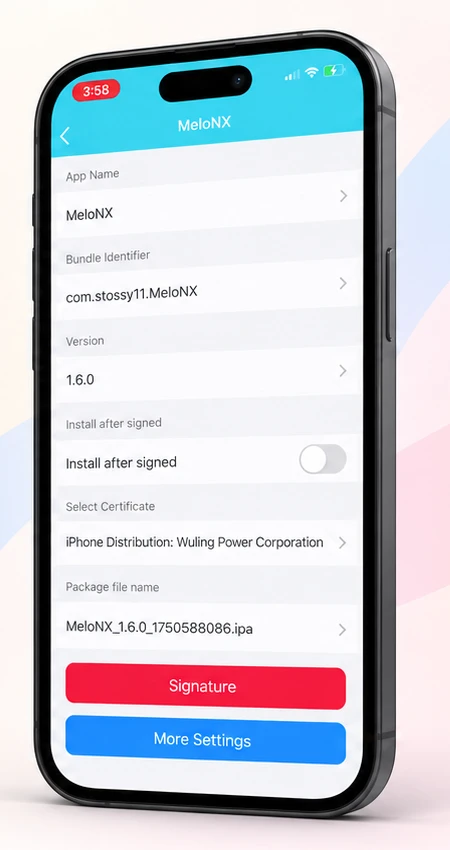
Select the app and open the signing or signature menu. Pick your signing certificate and authorization profile where the interface requires them. Some versions may let you change to rename the app or bundle identifier although these options should be modified when required and when the certificate and profile support the required setup.
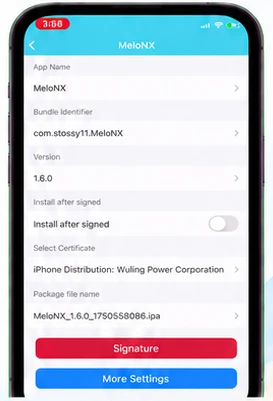
Step 3 : Begin the IPA Signing Process
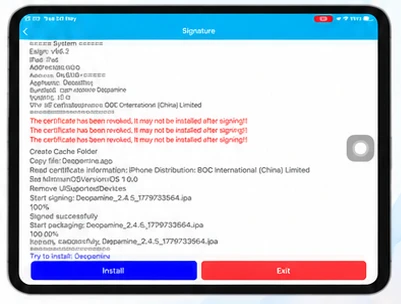
Start the signing process and wait for ESign to finish. If signing succeeds, select the processed app and use the available installation feature.
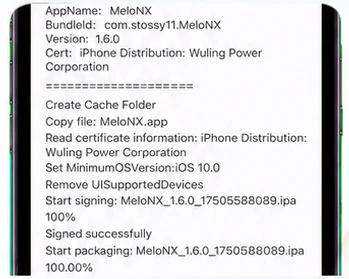
Step 4 : Review Developer Trust Settings
According to the type of certificate and iOS release, you might also have to check the developer profile in Settings→ General → VPN or device management and complete the requested steps to trust or verify it.
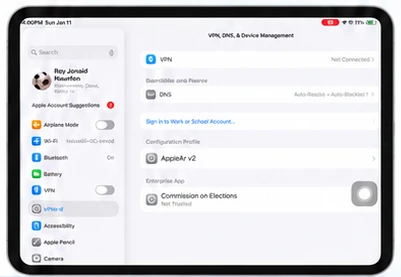
Step 5 : Troubleshooting Installation
If the issue persists, retry signing only after checking the error. Confirm the certificate status and the profile restrictions. Specific entitlements, features or frameworks that are needed by some apps may be unavailable by a selected certificate.
Is it safe to Download ESign iOS Certificates?
Your safety relies on the certificate source, the app being signed and the authorization required involved. A certificate can insist on installing an app to your device but it does not confirm that the app’s code is harmless. A modified or unverified IPA may reveal personal details, behave unexpectedly or contain malicious features.
Conclusion
An ESign iOS certificate can assist you sign supported IPA files and install apps on an iPhone or iPad without using the App Store. The process includes obtaining the suitable certificate package, loading the certificate and provisioning profile, signing the IPA and required installation or trust procedures that might be necessary. Keep certificate files together to reduce errors. Double-check passwords thoroughly. Confirm device support before fixing errors and repeated installation failures.
Frequently Asked Questions
Is an ESign iOS certificate available for free?
Some certificate bundles may be accessible to everyone free of charge, although availability rules can change. Review the latest listing for any fees or requirements.
Is it possible to download an ESign certificate directly on an iPhone?
Yes, you can download a supported ZIP package using Safari and extract the contents through the files app. You may then add its certificate files into ESign.
Can one certificate sign every IPA file?
Not necessary, apps might need specific entitlements, provisioning authorizations or bundle identifier settings. A certificate that works with a particular IPA may not support another.